
Install rsyslog on Alpine

The Adiscon Alpine Repository supports recent rsyslog versions for Alpine Linux including necessary third party packages.
To install rsyslog on Alpine, simply execute the following commands as root from the commandline:
cd /etc/apk/keys
wget http://alpine.adiscon.com/rsyslog@lists.adiscon.com-5a55e598.rsa.pub
echo 'http://alpine.adiscon.com/3.7/stable' >> /etc/apk/repositories
apk update
apk add rsyslog
Questions? Suggestions? Bug Reports? Provide it here: https://github.com/rsyslog/rsyslog-pkg-alpine/issues Feedback is appreciated!
Installing rsyslog from RPM
We want to describe here, how to install rsyslog from the RPM repository on RHEL/CentOS 5 and 6. Currently, we have RPMs available for the most recent versions of rsyslog.
To use the repository, please follow these steps.
1. Obtain the .repo file
To be able to use the RPM repository, you need a .repo file. Using your webbrowser, go to http://rpms.adiscon.com. Here, either download the rsyslogall.repo file or go to the subfolder for the desired version (e.g. v7-stable) and download the rsyslog.repo file from there.
2. Placing the file in the correct location
You now need to place the downloaded file in the correct folder. The .repo file must be placed in
/etc/yum.repos.d/
3. Finding updates
You should now do a “yum update”. The update for rsyslog will be detected automatically. Note, that the file rsyslogall.repo contains the repository configuration for each available branch, whereas the rsyslog.repo only provides repository configuration for the selected branch.
A note on signed RPM’s
On RHEL/CentOS 5 it is not possible to check for signed RPM’s. This is due to a bug in the RPM/YUM subsystem. So, Please DO NOT USE gpgcheck=1! If you however couldn’t resist trying it, and your system stucks with “Header V3 RSA/SHA1 signature: BAD, key ID e00b8985″, follow these steps:
- Set gpgcheck in your rsyslog.repo file back to 0.
- Run this command to remove the gpg key from your system: rpm –erase gpg-pubkey-e00b8985-512dde96
Install rsyslog on Ubuntu

The Adiscon Ubuntu Repository has been setup to provide the latest rsyslog versions on Ubuntu including necessary third party packages.
We support those Ubuntu versions that have not yet reached end of life as of Ubuntu policy. For some Ubuntu versions beyond end of life, we may have packages in the PPA, but these may disappear at any instant and are not supported at all.
An overview of the currently available packages can be found here: Launchpad PPA
To install rsyslog on Ubuntu execute this from a terminal window:
sudo add-apt-repository ppa:adiscon/v8-devel
sudo apt-get update
sudo apt-get install rsyslog
Packages for debug symbols:
Open file: /etc/apt/sources.list.d/adiscon-ubuntu-v8-devel-xenial.list
Edit first line to: deb http://ppa.launchpad.net/adiscon/v8-devel/ubuntu xenial main/debug
sudo apt-get update
sudo apt-get install rsyslog-dbgsym
If you prefer to run the scheduled stable build use:
sudo add-apt-repository ppa:adiscon/v8-stable
sudo apt-get update
sudo apt-get install rsyslog
Note: the scheduled stable build is cut every 6 weeks from the daily stable build.
Questions? Suggestions? Bug Reports? Provide it here: https://github.com/rsyslog/rsyslog-pkg-ubuntu/issues Feedback is appreciated!
The following short video shows how the steps are actually done:
Install rsyslog on RHEL/CENTOS


The Adiscon RPM Repository supports recent rsyslog versions for RHEL/CentOS 7, 8 and 9 including third party packages.
Using the daily stable build
Packages for rsyslog’s daily stable are created every night and updated at 01:00 am CET.
Note: The daily repository usually at least as stable as v8-stable, because it has the latest fixes.
To install the daily stable on CentOS, simply execute the following commands as root from command line:
cd /etc/yum.repos.d/
wget http://rpms.adiscon.com/v8-stable/rsyslog.repo # for CentOS 7,8,9
wget http://rpms.adiscon.com/v8-stable-daily/rsyslog-daily.repo # for CentOS 7,8,9
yum install rsyslog
To install the daily stable on RHEL, simply execute the following commands as root from command line:
cd /etc/yum.repos.d/
wget http://rpms.adiscon.com/v8-stable/rsyslog-rhel.repo # for RHEL 7,8,9
wget http://rpms.adiscon.com/v8-stable-daily/rsyslog-daily-rhel.repo # for RHEL 7,8,9
yum install rsyslog
The following video explains the process, including of how to go back the the stock version (if you just want to give our repository a try):
Please accept YouTube cookies to play this video. By accepting you will be accessing content from YouTube, a service provided by an external third party.
If you accept this notice, your choice will be saved and the page will refresh.
Using scheduled stable build
To install the stable on CentOS, simply execute the following commands as root from command line:
cd /etc/yum.repos.d/
wget http://rpms.adiscon.com/v8-stable/rsyslog.repo # for CentOS 7,8,9
yum install rsyslog
To install the stable on RHEL, simply execute the following commands as root from command line:
cd /etc/yum.repos.d/
wget http://rpms.adiscon.com/v8-stable/rsyslog-rhel.repo # for RHEL 7,8,9
yum install rsyslog
Note: the scheduled stable release may contain bugs already fixed in the daily stable releases. It is primarily meant for situations where infrequent package updates are desired.
Problems during the installation
Some users experiencing problems at the installation because of a incorrect resolution variable. So please try this first. Open the repofile and replace the variable “$releasever” in the third line through your operating system. Below you can find a example for RHEL7.
The line should looks like this before:
baseurl=http://rpms.adiscon.com/v8-stable/epel-$releasever/$basearch
After the change the line should look like this:
baseurl=http://rpms.adiscon.com/v8-stable/epel-7/$basearch
GPG Key for validation:
—–BEGIN PGP PUBLIC KEY BLOCK—–
mQINBGPqPv8BEAC8grHFvJRSV8OGmRU/t7iMKqfR/uAIiF0ho10p3JLCOJkut0Er
Bm7S0EKON2955yFCrs9q5Zbw1FJS0k1m/++UG6FBsA5e3jkLEctx3qO9A/phvVPe
TqYi3Hjd4OLKYda0Bdx1Z7RnxOWpqvKhtWPO4Uc2vk89VlNgJNFHjw6WbHDAlMc9
hDxWhM7AUQXTJdr8ywkETeQxwKdWzjqS2HKs3ZCoGUsHF83r+kTsIivg9hkUvzOb
tKKmWbdC+ZHKaXtmq89xMesG+HgehuQHHXp4lYx2DhBGxwd0dC/Ew5y3K8Se+m8v
B/X9jY/L4IXdvBAyTV2erSRy+YGraviTaTD1W2llN0GDhG7mtyIFkyWoDgPmVtdE
U32RsDUQ9PK4hKHpqJXquM/DZbk9EjP3grpUifzjrED08oRBnaykGOwHul4BEiDh
Dkd1nkqibS3kj989rdLvS36uP+apn2ccsUYNoci6TIduuEIGqx1kpHizEGMny/Vm
oA1t3KXKruEImzfC5tqbxJQzDnAEcFwC4Fvg/hrFuWuSBuRqB+bvazvUxkTnCFRK
5CVSqUzVhUqXqVgwywcYVJMIKysueFFATUi76alracPo+HtNjsYEjfkLkqPhjfj/
GacFKp/0YS3RjcC+boyycHYmAG/9OFR1NeihDfoLZwg7/50fp2+HdgczlwARAQAB
tE9BbmRyZSBMb3JiYWNoIChSUE0gUGFja2FnZSBzaWduaW5nIGtleSBmb3IgcnN5
c2xvZyAyMDIzKSA8YWxvcmJhY2hAYWRpc2Nvbi5jb20+iQJRBBMBCAA7FiEEMUjR
NJc6v1FbL54xaxHVx49n72QFAmPqPv8CGwMFCwkIBwICIgIGFQoJCAsCBBYCAwEC
HgcCF4AACgkQaxHVx49n72Qp9A/+Lqo8/wmWPcJV9/sFTmobBhHL2E7n7ZEcxY2Y
aFyHwov495gFXFXFyiXKyL/ItA4gBCn5MbX5Oetrs9zSpO5wgfSp67XWIh4FfhfM
79WTrHJkwIosdRr2eH/FSK5lvC5R0xpnSTgDNwG22qR9vO9dqEtN/Skr24KEmjdz
gbC/dlrALOM4Qj4g1TvqOk3cBMwc3GQmOvtvyYa0Dp3kOw/KrBpxW3GVm7Vsxqf1
WpWyOpyisYOghFZyZC/qMcQbwgL1N8pTmOIjJZ3n2AsFts8RKmUcZzVz+I+RGGyJ
eLGXupGb8TUZsp0i7KI0D8XiLFsFkSrVhSFXrtukuOomiUYSEyxRcm/DWO9o5yLF
ZybrLyvPC6T5mdbOxJBc7ZAInMaItR0XznLMIhjzzTx9o4IFmET/SPQ+y35szxVL
To3R70DFvb7dqArs1TrnPRcZjkLbHTr1p0QttVC1SW4NbY8oODiRRAa7ZV143b0p
sv4Gpx9ZQvDrSDGVVRuxdl3KhqdwvaEFDBAjneO2mnV8RawHjRHzayF2js52ZIHd
iVePWNm7wFo6JKThvRt5ewn7xQmUTPwIJS4iWf7TAB/bELAVXP1qQWzin0y6iKh/
ZLLt1gkbBXCEzJCe6K1Krnx0/eInwV9NbUPwXNxC0VIQcShkQUn1E8AEn9tNjThm
P98nqjA=
=UhZe
—–END PGP PUBLIC KEY BLOCK—–
Questions? Suggestions? Bug Reports? Provide it here: https://github.com/rsyslog/rsyslog-pkg-rhel-centos/issues Feedback is appreciated!
Install locations for rsyslog
Not everyone uses the same linux distributions. If Linux at all. And some distributions store files different than others. When building a test environment, we stumbled upon the problem, that if we tried the usual know method
./configure --libdir=/lib --sbindir=/sbin
rsyslog won’t work. Even if there is already rsyslog installed, but we want to use a different version, we will be helpless. Therefore we want to collect a list of different distributions and the different installation paths.
All paths are for 32-Bit operating systems!
Fedora
libdir=/lib
sbindir=/sbin
Ubuntu
libdir=/lib
sbindir=/usr/sbin
CentOS
libdir=/lib
sbindir=/sbin
Debian
libdir=/lib
sbindir=/usr/sbin
If you know of other distributions and the install directories, please send us a notification via the mailing list, so we can add it here.
Installing RSyslog 5 on RHEL 4 / 5
To have rsyslog working correctly on RHEL 4 or 5, some conditions have to be met. The method described has been tested with rsyslog 5.7.1.
First of all compile and install the dependencies.
- gnutls-2.8.6.tar.bz2
- libgcrypt-1.4.6.tar.gz
- libgpg-error-1.9.tar.gz
- libtasn1-2.2.tar.gz
After that, you can install rsyslog using the following commands:
./configure PKG_CONFIG_PATH=/usr/local/lib/pkgconfig --enable-gnutls
make
make install
It could happen, that the install might complain about gnutls.pc. Simply comment out the URL found near the start of the file /usr/local/lib/pkgconfig/gnutls.pc.
Credit for this find goes to Forum member Johann Reinhard (johannreinhard).
rsyslog Windows Agent 2026 — New major release, new licensing, new release cycle

Overview
rsyslog Windows Agent now ships on the 26.07 line (July 2026). This release line uses calendar-based YY.MM version numbers, a monthly update cadence, a license.alic license file, and a next-generation Configuration Client Preview in the installer.
If you are upgrading from rsyslog Windows Agent 8.x (or earlier), read this article before you deploy. Your existing registration name and numeric license keys do not apply on current builds—you need a new license.alic file from Adiscon.
A new way to read version numbers
Older product lines (through 8.x)
Historically, rsyslog Windows Agent used sequential version numbers that increased independently of the calendar. Different Adiscon products used different leading numbers (WinSyslog 18, EventReporter 19, MonitorWare Agent 15, and so on).
| Component | Legacy (8.x) | New (YY.MM) |
|---|---|---|
| Example | 8.3.0.236 | 26.07 |
| Year part | Sequential major 8 | Calendar year short form 26 (2026) |
| Month part | Feature release (e.g. 3) | Release month 07 = July |
Current YY.MM versions
Adiscon changed to calendar-based version numbers. In 26.07, 26 means 2026 and 07 means July. There are no missing intermediate product releases between the last 8.x builds and 26.07.
Later monthly builds in the same year continue as 26.08, 26.09, and so on. When the calendar year rolls forward, the year part advances (for example to 27.01).
New release cycle: monthly updates
Adiscon is aligning rsyslog Windows Agent with a predictable monthly rhythm:
- YY = calendar year (26 = 2026)
- MM = release month (01 = January, 07 = July, 12 = December)
- Regular monthly builds with fixes and improvements during the year
The current general-availability line for this announcement is 26.07 (July). You can plan upgrades knowing that 26.08, 26.09, and so on will arrive through the year. Detailed change lists belong in release notes, not in this overview.
Licensing: from name + keys to a license file
The largest operational change for upgrades from rsyslog Windows Agent 8.x is licensing. Older builds used a registration name and numeric license keys. Current builds use a license.alic file applied under General → License in the configuration client.
| Topic | Older product lines | Current builds |
|---|---|---|
| What you apply | Registration name + numeric license keys | license.alic file |
| Where in the client | License key fields | General → License |
| Optional path | N/A | szLicenseV2Path (path to the file) |
Important: Keys from rsyslog Windows Agent 8.x do not apply on current builds. Contact Adiscon support or sales to obtain a new license.alic for your edition.
Licensing
License file details and how to apply it
What you use now
| File name | license.alic |
| Default location | %ProgramData%\Adiscon\RSyslogAgent\license.alic |
| Configuration | szLicenseV2Path — optional path to the file (path only, not license text) |
| Client location | General → License |
Editions (Basic, Professional, Enterprise) still exist as commercial labels. Product limits such as Remote Event Log and client connections are enforced from entitlements in the license file. The main window status bar shows license status (for example, the licensed organization). A version mismatch between the license file and the installed service may show a warning banner until you apply a matching license.
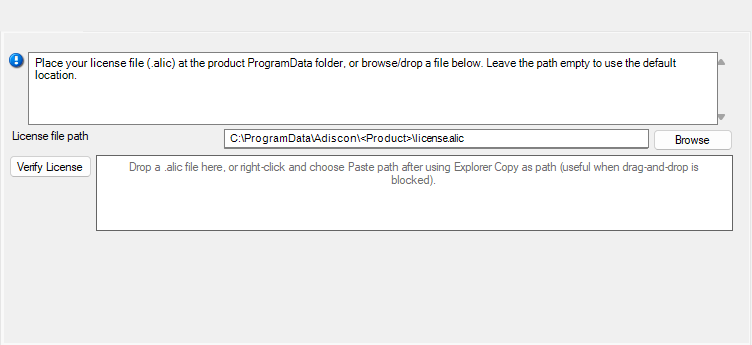
How to apply the license file
- Obtain license.alic from Adiscon for rsyslog Windows Agent (correct edition and entitlements).
- Open the configuration client and select General → License.
- Browse for license.alic, drag-and-drop the file, or paste the file path.
- Use Verify License if you want to check the selected file before or after saving.
- Save the configuration.
- Restart the service so the updated license state is applied.
Configuration snippet (optional)
Administrators using file-based configuration may set an explicit path when they do not use the default location:
szLicenseV2Path C:\ProgramData\Adiscon\RSyslogAgent\license.alic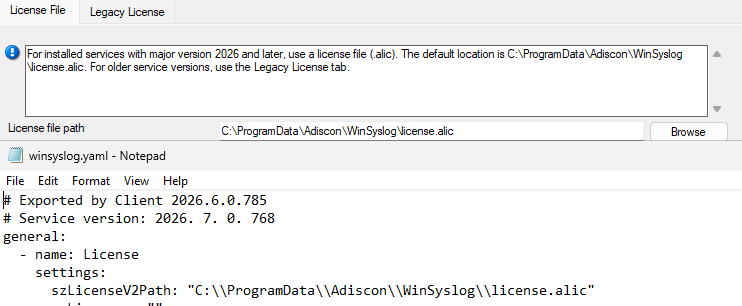
Frequently asked questions (licensing)
Do my 8.x license keys work on current builds?
No for activating current rsyslog Windows Agent builds. Current builds require a license.alic file. Contact Adiscon to obtain one.
Can I use an older product version with my current license?
Yes. Your license can cover older product versions. If the older version does not support license files, contact Adiscon support or sales and request a free license key for that product version.
Can I copy license.alic from another product?
No. Each license is issued for specific product SKUs (RSyslog-WA-Basic, RSyslog-WA-Pro, RSyslog-WA-Enter). The service rejects mismatched products.
What if license.alic is missing?
Without a valid license file, the product follows its normal unlicensed or evaluation behavior for that edition. Apply a valid license.alic under General → License, save, and restart the service.
Do I need internet activation?
No for normal operation. The license file is validated on the machine; you do not need online activation for routine use.
Upgrade
Upgrade path and compatibility
Upgrade planning for rsyslog Windows Agent 8.x to current builds should start with a license.alic request before production rollout. Install or upgrade to 26.07 (July) or a later 26.x monthly build.
Note: The rsyslog Windows Agent is Adiscon’s native Windows agent for rsyslog-compatible deployments—it is not the open-source Linux rsyslog project.
Next-generation Configuration Client Preview
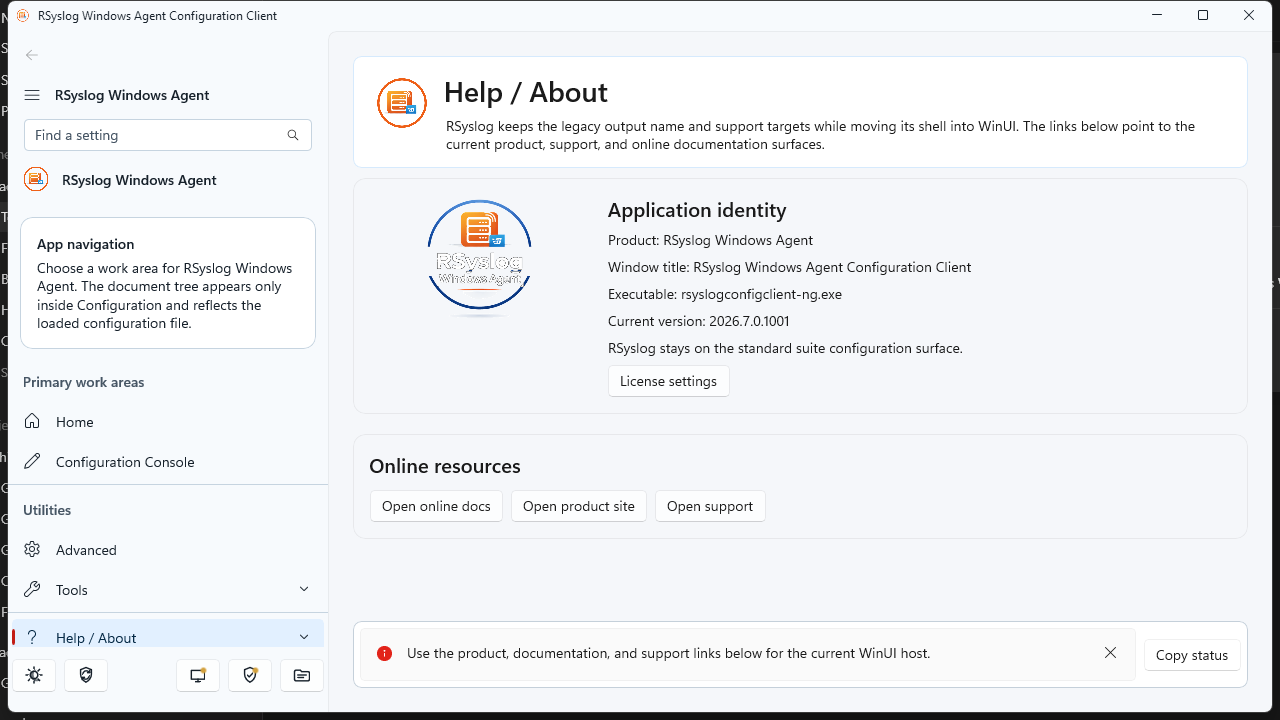
The rsyslog Windows Agent installer for current builds includes two configuration clients:
- Established configuration client — familiar UI, updated for the license file page under General → License.
- Next-generation Configuration Client Preview — modern WinUI-based workbench (adiscon-client-ng), shipped as a preview alongside the classic client.
The preview is intended for early adopters. Both clients target the same service and the same license.alic file. Expect the preview label until Adiscon declares general availability.
What changed between 8.x and current builds (overview)
Current builds are a platform refresh, not a single-feature update. Alongside YY.MM versioning and monthly updates, they introduce a license.alic license file, expanded file/YAML configuration options, operational metrics (disabled by default), installer improvements, and ongoing reliability hardening across listeners, actions, and the core engine. For detailed changes in a specific month build, see the product release notes for 26.07 and later.
rsyslog Windows Agent continues to focus on reliable Windows log ingestion and forwarding in rsyslog-compatible deployments; the current line modernizes how you license, version, and configure the product. This is Adiscon’s Windows agent only—not the Linux rsyslog project.
Frequently asked questions (upgrade)
Where is the license file?
Default: %ProgramData%\Adiscon\RSyslogAgent\license.alic
Is the nextgen client required?
No. It is a preview. The classic configuration client remains supported for applying license.alic.
Where should backup tools copy the license?
Back up license.alic together with your configuration directory under the product’s ProgramData folder.
Next steps
- Existing customers: Contact Adiscon support or sales to request your license.alic before or during upgrade.
- New deployments: Install 26.07 or later, apply license.alic under General → License, verify status, then roll out rules and services as usual.
- Monthly updates: Check release notes for 26.07, 26.08, and subsequent monthly builds.
Rsyslog Windows Agent 8.3 Released
We have just released Rsyslog Windows Agent 8.3, bringing enhanced interoperability, modern configuration options, and deep operational visibility to our professional Windows-to-Linux logging bridge.

A major highlight of this release is the introduction of YAML configuration support. By adding file-based YAML support for service configuration files, rsyslog Windows Agent now allows administrators to utilize human-readable, industry-standard formatting for their configuration logic. This facilitates easier integration with DevOps toolchains and simplifies the management of complex forwarding rules across diverse Windows environments.
Operational transparency has also been significantly improved with the addition of Runtime Metrics. Administrators can now enable a dedicated HTTPS query endpoint to access real-time service metrics. This feature allows for the direct monitoring of event throughput and service health, making it simple to pull performance data into centralized monitoring systems.
Furthermore, rsyslog Windows Agent 8.3 is ready for the next generation of infrastructure with enhanced Windows Server 2025 support, including improved message fallback and custom-channel cleanup within the Event Monitor service.
Continue reading “Rsyslog Windows Agent 8.3 Released”What rsyslog is today: a high-performance log ingestion and ETL engine
The site title and GitHub project tagline now describe rsyslog as a high-performance log ingestion and ETL engine.
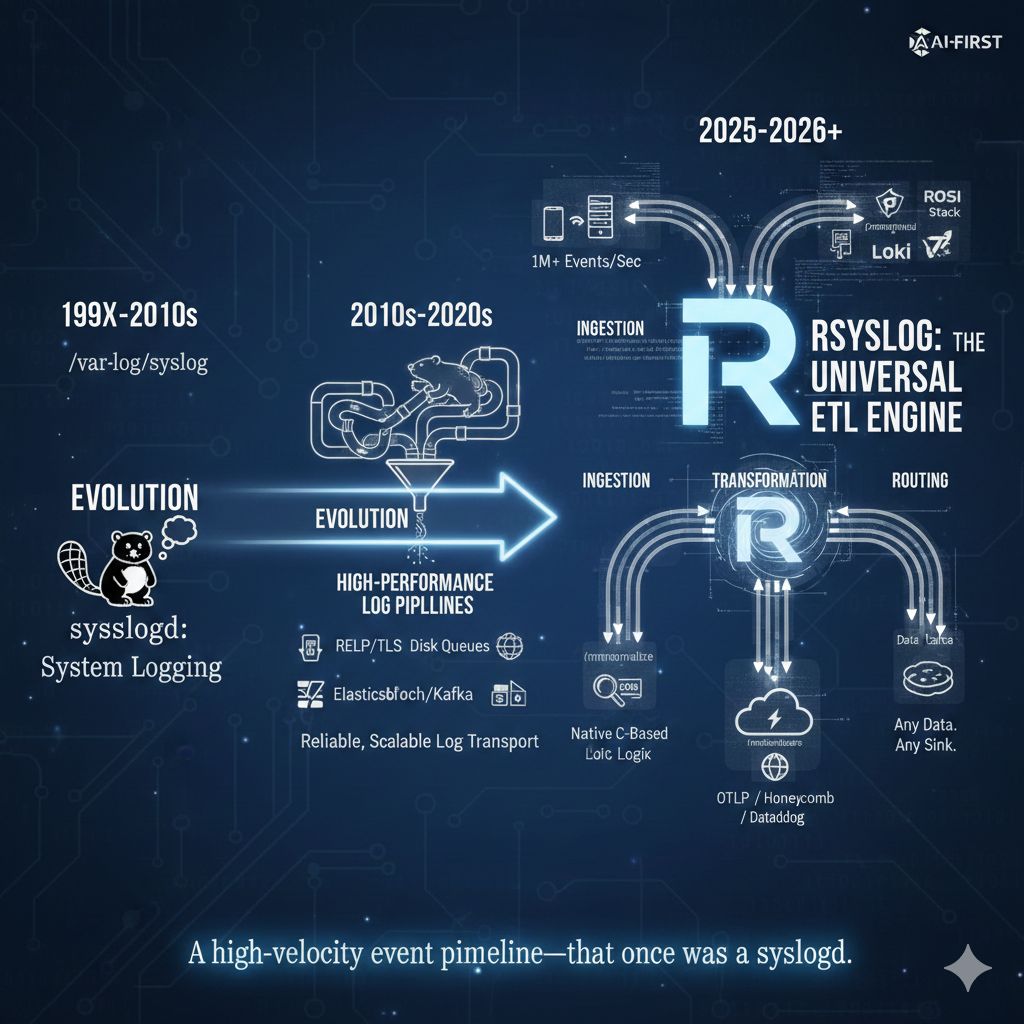
This is a small but visible change. It reflects how rsyslog is actually used today in modern infrastructures, and it aligns the project’s public description with long-standing technical reality. It is not a rebranding exercise, and it does not change what rsyslog is compatible with or where it comes from.
If you have followed the project for a long time, the wording may stand out. That is intentional. It acknowledges an evolution that has been underway for years and that many users already rely on in production.
Continue reading “What rsyslog is today: a high-performance log ingestion and ETL engine”imfile inotify handling improved: safer systems, lower rsyslog impact
Large imfile deployments can put pressure on Linux inotify resources. In practice, running out of inotify watches is very uncommon, but when it does happen, the consequences used to be unpleasant and system-wide.
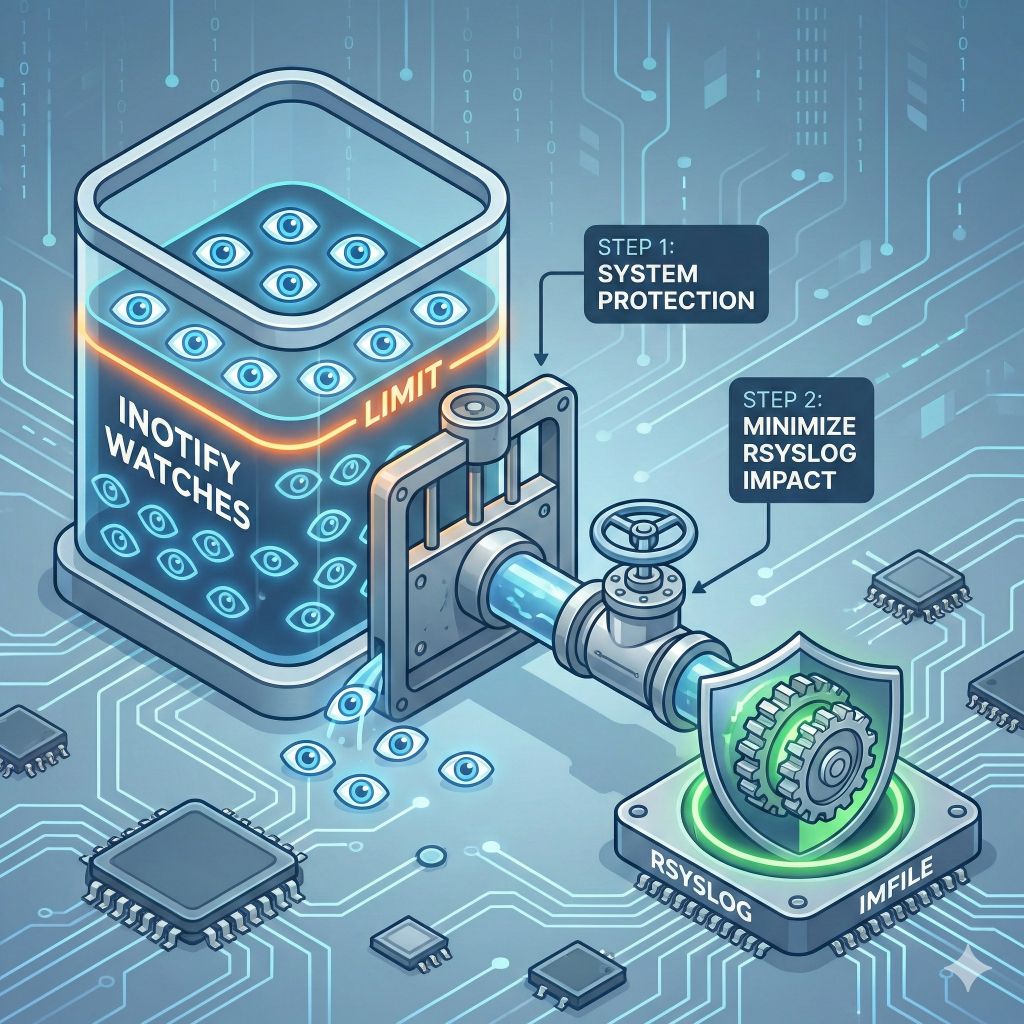
To address this properly, we completed a single improvement delivered in two steps: treat inotify usage as a bounded, shared system resource while keeping rsyslog itself as unaffected as possible.
Continue reading “imfile inotify handling improved: safer systems, lower rsyslog impact”