
The rsyslog Evolution: Bridging BSD Heritage with Adiscon Innovation
It is a well-documented fact in the open-source community that rsyslog traces its lineage back to the original 1980s BSD syslogd developed by Eric Allman, primarily through the sysklogd fork. This foundation provided the industry with a standardized way to communicate system events for decades.
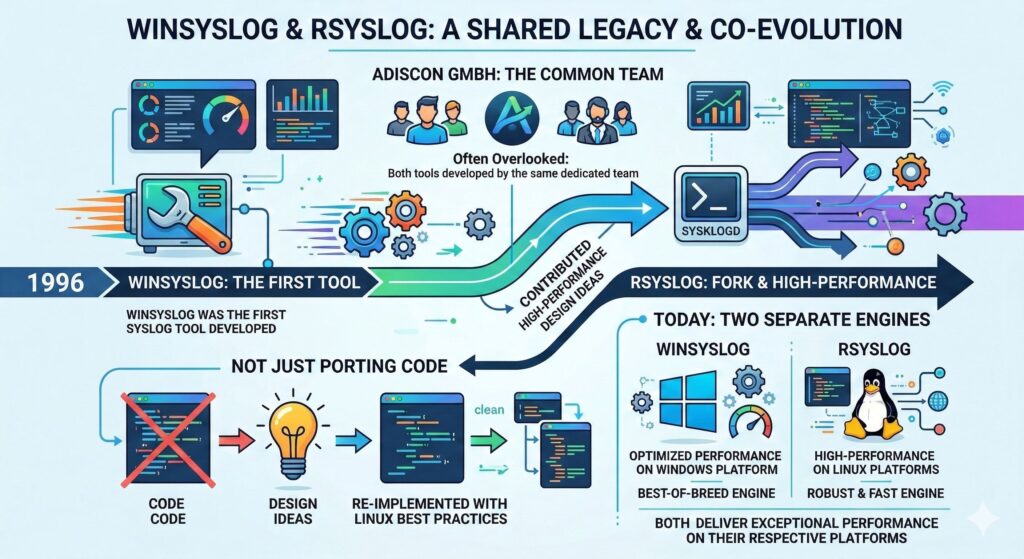
However, even before the digital landscape evolved into the era of high-velocity data, the original single-threaded BSD design was known by us to face significant performance bottlenecks. As such, we were well aware of the need to support multithreading.
Continue reading “The rsyslog Evolution: Bridging BSD Heritage with Adiscon Innovation”rsyslog 8.2602.0: ROSI Collector, rate-limit policies, stronger TLS, and telemetry integration
We have released rsyslog 8.2602.0, the February 2026 scheduled-stable version. Scheduled-stable releases are bi-monthly snapshots of the daily-stable branch, providing predictable update points with the same functional content as daily-stable at the time of the snapshot.
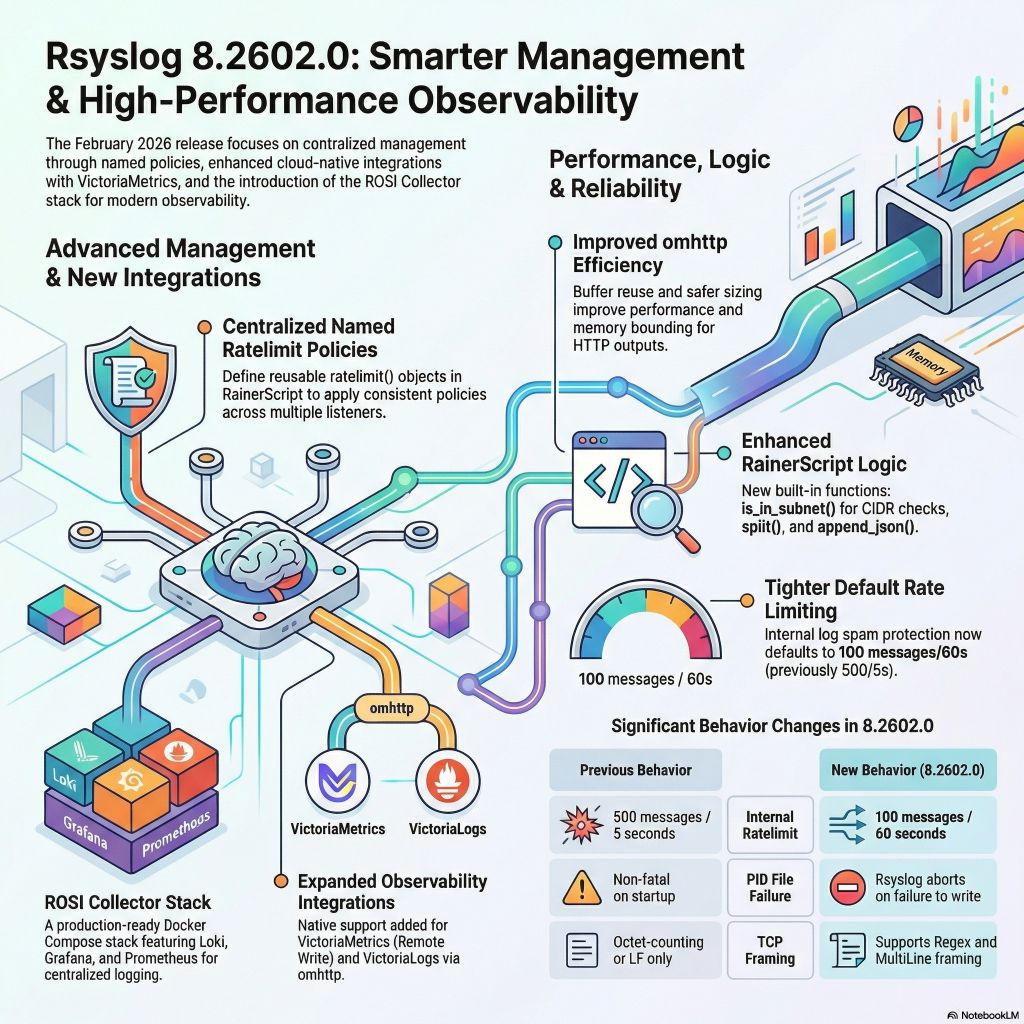
This release introduces a new production-ready deployment stack and continues significant runtime and security hardening.
Four major highlights:
- ROSI Collector: centralized log collection stack
- Named rate limit policies for imtcp and imptcp
- Security and TLS hardening
- Telemetry and ecosystem integration
What rsyslog is today: a high-performance log ingestion and ETL engine
The site title and GitHub project tagline now describe rsyslog as a high-performance log ingestion and ETL engine.

This is a small but visible change. It reflects how rsyslog is actually used today in modern infrastructures, and it aligns the project’s public description with long-standing technical reality. It is not a rebranding exercise, and it does not change what rsyslog is compatible with or where it comes from.
If you have followed the project for a long time, the wording may stand out. That is intentional. It acknowledges an evolution that has been underway for years and that many users already rely on in production.
Continue reading “What rsyslog is today: a high-performance log ingestion and ETL engine”Myth-Buster: rsyslog is not “just a legacy syslogd”
The myth is persistent — partly because of the name. Yes, rsyslog started life as an enhanced syslog daemon for Linux. But over two decades, it has evolved into a high-performance ETL engine that powers data pipelines in thousands of production environments.

rsyslog: High-Performance Syslog Server and Log Aggregation Tool
The rocket-fast system for log processing pipelines
rsyslog helps you collect, transform, and route event data reliably at scale. Built for speed, flexibility, and control in modern Linux and container environments.

Runs great on single hosts and in containerized deployments.
Trusted by organizations worldwide
1M+
Messages per second
100+
Input/output modules
20+
Years in production
What’s new
📦 Current versions
Download the latest stable release, daily builds, or explore containerized deployments. All versions include documentation and release notes.
🚪 Windows Agent: 26.08[download]
Get started in 60 seconds
Two quick ways to try rsyslog.
# Debian/Ubuntu
sudo apt-get update
sudo apt-get install -y rsyslog
sudo systemctl enable --now rsyslog
# Config lives in /etc/rsyslog.conf and /etc/rsyslog.d/
# Docker (example)
docker run --name rsyslog/rsyslog -d \
-v $(pwd)/rsyslog.conf:/etc/rsyslog.conf:ro \
-p 514:514/tcp -p 514:514/udp \
rsyslog/rsyslogSee First steps guide and Basic configuration reference for more detail.
What is rsyslog?
rsyslog is an open-source, high-performance engine for collecting, transforming and routing event data. It ingests from diverse sources (files, journals, syslog, Kafka), applies parsing, enrichment and filtering rules via RainerScript and modules like mmnormalize, buffers safely with disk-assisted queues, and forwards to Elasticsearch, Kafka, HTTP endpoints or files. With over 20 years of proven reliability, rsyslog bridges classic syslog-style logging and modern data pipelines — now guided by an AI-First (human-controlled) vision for smarter observability.
Why operators rely on rsyslog
💾 Reliable delivery
Disk-assisted queues and backpressure controls keep pipelines flowing.
📎 Flexible parsing
Support for regex, structured formats, JSON, and liblognorm pipelines.
📦 Powerful routing
Conditional rules and reusable templates with RainerScript.
📭 Broad outputs
Files, TCP/UDP/TLS syslog, Kafka, HTTP, and database destinations.
📰 Performance at scale
Multi-threaded design with tuning controls for predictable latency.
🌍 Runs anywhere
Bare metal, virtual machines, and containerized environments.
Works with your observability stack
| Target | Description / Docs link |
|---|---|
| Elastic / OpenSearch | output-elasticsearch module guide |
| Grafana Loki | HTTP/JSON shipping example |
| Kafka | omkafka documentation |
| Splunk HEC | omhttp configuration example |
| Files & rotation | omfile output reference |
| Databases | Output modules overview |
Integrates via open protocols (syslog, TCP/TLS, HTTP, Kafka). No cloud-vendor lock-in.
💼 Professional services for production workloads
Need expert help to ship faster and reduce risk? Our team provides architecture reviews, performance tuning, migrations, troubleshooting, and long-term support—tailored to your stack.
- ✅ Architecture & performance reviews
- ✅ Production readiness, HA & DR patterns
- ✅ Migrations (e.g., from Kiwi, Logstash)
- ✅ Custom modules and integrations
- ✅ Incident response and troubleshooting
- ✅ SLAs and long-term support options
💻 Two tiny examples
Example A (RainerScript)
module(load="imuxsock")
module(load="imklog")
template(name="jsonl" type="list") {
  constant(value="{\"ts\":\"")     property(name="timereported" dateFormat="rfc3339")
  constant(value="\",\"host\":\"") property(name="hostname")
  constant(value="\",\"msg\":\"")  property(name="msg" format="json")
  constant(value="\"}\n")
}
*.* action(type="omfile" file="/var/log/events.jsonl" template="jsonl")
Example B (RainerScript)
module(load="imuxsock")
module(load="omkafka")
if ($programname == "sshd") then {
  action(type="omkafka"
         broker=["kafka:9092"]
         topic="security-auth"
         template="RSYSLOG_TraditionalFileFormat")
}
🤖 Self-support with the rsyslog Assistant
The rsyslog Assistant is an AI-powered self-support tool based on curated, verified project knowledge, supervised by maintainers. Use it to explore configuration options, examples, and troubleshooting tips.
📢 Latest from the project
libfastjson 1.2609.0 release
libfastjson 1.2609.0 improves object-member lookup performance, corrects buffered JSON dumping edge cases, and updates build compatibility and quality coverage. Highlights…
rsyslog Windows Agent 26.09 Technical Release Notes
Release date: September 1, 2026Service build: 26.9.0.353Configuration Client build: 26.9.0.442User Interface build: 26.9.0.1017 Upgrade assessment Recommendation: Recommended update Why update…
rsyslog Windows Agent 26.09: Monthly Patch + Feature Drop
rsyslog Windows Agent 26.09 is the latest monthly Patch + Feature Drop. It focuses on dependable service operation and smoother…
rsyslog 8.2510.0 (2025.10) released
We have today released the 8.25100 rsyslog scheduled stable release. This release delivers three main themes: better Windows Security event ingestion, more flexible JSON handling end to end, and pragmatic compatibility fixes across popular outputs and platforms. It also includes steady documentation improvements and CI hardening.
Continue reading “rsyslog 8.2510.0 (2025.10) released”rsyslog 8.2508.0 (2025.08) – release announcement
Download: https://www.rsyslog.com/files/download/rsyslog/rsyslog-8.2508.0.tar.gz
Project-provided packages are building now and are expected later today. Ubuntu PPAs are already done.
We are excited to ship a large and meaningful rsyslog release. This cycle advances our responsible “AI First” strategy and moves decisively toward cloud native operations. It also delivers major quality, security, and documentation improvements.
Continue reading “rsyslog 8.2508.0 (2025.08) – release announcement”RSyslog Windows Agent 7.2 Released
Release Date: 2022-01-18
Build-IDs: Service 7.2.0.217, Client 7.2.0.310
Features |
|
Bugfixes |
|
You can download Free Trial Version of RSyslog Windows Agent.
RSyslog Windows Agent 7.0 Released
Release Date: 2021-03-09
Build-IDs: Service 7.0.0.213, Client 7.0.0.297
Features |
|
Bugfixes |
|
You can download Free Trial Version of RSyslog Windows Agent.
RSyslog Windows Agent 7.0 Released
We are proud to announce the 7.0 release of Rsyslog Windows Agent.
On the output side we have added dedicated action queues to all potentially blocking actions. This provides higher performance as well as buffering capabilities in case the action is unreachable or blocks for some other reason. We also added native support for LogPoint SIEM JSON format. This makes it even easier to integrate into such environments.
Very importantly, we now fully support the latest Windows Server and Windows 10 builds 20H2.
Filtering capabilities have been enhanced, for example in regard to IPv6 and status information. Also new properties have been added and support libraries upgraded for even more feature-richness and to use the latest security features. For example, TLS 1.3 is now supported.